
In an electronic security integration company with eight field technicians, there is someone—almost always the same person—who every Friday spends between two and four hours consolidating reports. They gather information from emails, spreadsheets, the ticketing system, and WhatsApp messages. They organize it. They format it. They send it.

The following week, they repeat the process.
That time does not appear on any invoice. It does not generate direct value for the client. However, it consumes a significant portion of the team's operational capacity.
This scenario is not exclusive to security companies. AV integrators, HVAC installers, and any technical company operating with multiple technicians, simultaneous projects, and clients expecting follow-up experience it.
The problem is not a lack of work. The problem is that too much time is spent organizing information that already exists but is scattered.
Why Manual Reports Become a Bottleneck
Lost time accumulates without anyone noticing
Consolidating a report manually does not seem that difficult if done once. The problem is the frequency. A company that generates weekly service reports, maintenance reports per contract, and basic operational metrics can be investing between 8 and 15 hours monthly on consolidation tasks alone.
Those hours have a cost. And they are almost never budgeted.
Errors are part of the process
When information comes from multiple sources—Excel, email, a ticketing system, physical notes—transcription errors are inevitable. A piece of data that does not match, a technician whose report arrives late, a cell copied incorrectly. The final report reflects what someone was able to gather, not necessarily what happened.
Dependence on one person is an operational risk
In many technical SMEs, the report is prepared by a specific person. If that person is not available, the report is not generated. Or it comes out incomplete. Or someone who does not know the process well does it and makes additional errors.
That level of dependence is not operation. It is fragility.
Visibility arrives late or does not arrive
If reports are generated weekly, operational problems are detected days late. A technician with low productivity, a client with unclosed tickets, a project with time deviations: all of that appears in Friday's report, when it has already happened.
What Type of Reports Can a Technical SME Automate
Not all reports are the same. Some require human judgment and strategic analysis. But there is a broad category of reports that are direct candidates for automation:
- Technical service reports: summary of visits performed, time on site, type of intervention, ticket status.
- Preventive maintenance reports: equipment reviewed, dates of next visit, findings per contract.
- Tracking of projects in execution: progress by stage, hours invested, pending tasks, responsible parties.
- Ticket reports: volume of requests received, response times, open vs. closed tickets.
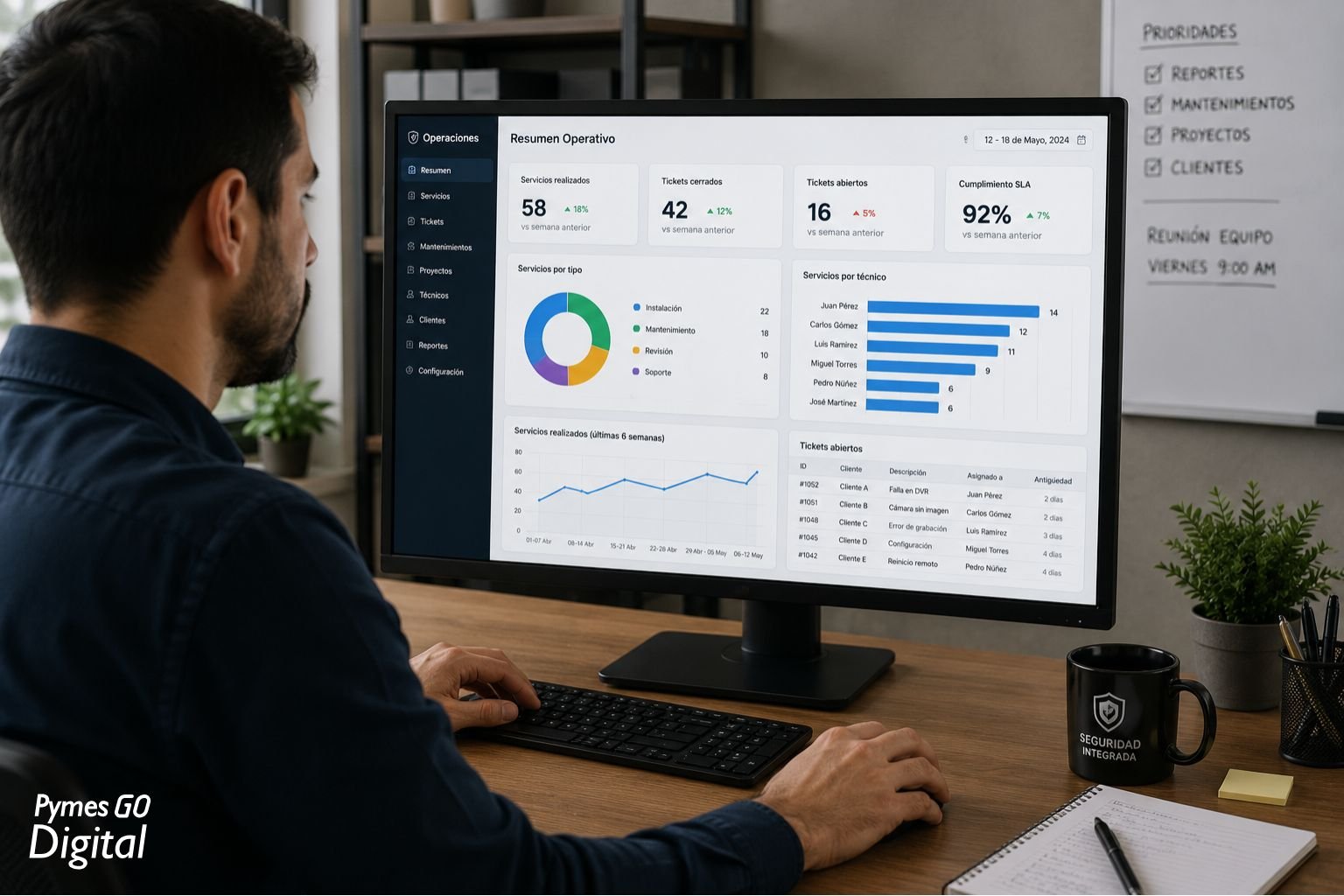
- Basic operational metrics: productivity per technician, SLA compliance, workload distribution.
- Consolidation of administrative data: hours worked, field expenses, supplies used per project.
These reports have something in common: the information already exists. The problem is that it is in different places and someone has to go look for it, organize it, and give it form.
How AI Helps in Practice
Artificial intelligence does not generate information that does not exist. What it can do is work with the information that is already available and structure it without manual intervention.
Automatic data consolidation
Instead of a person opening three different systems and copying data manually, a system with AI can connect to those sources—a CRM, a ticketing system, a shared spreadsheet—and retrieve the data automatically and periodically.
Organization and classification
AI can automatically categorize information. Identify what type of service was performed, group tickets by client, classify interventions by urgency or by type of equipment. What a person used to do reviewing row by row.
Generation of operational summaries
With the data consolidated and organized, the system can generate a structured summary: how many services were performed, how many are pending, and which clients have the highest volume of incidents. Not a strategic analysis, but a clear and orderly operational view.
Automatic alerts
Instead of waiting for Friday's report to discover there are ten unanswered tickets, the system can generate an alert when a threshold is exceeded: more than 48 hours without attention, a technician with no activity record, an upcoming maintenance date not scheduled.
Elimination of intermediate steps
The report stops passing through human hands for formatting. It is generated, structured, and distributed. The team receives it ready to read.
What a Company Needs Before Automating
This is the point most often omitted in conversations about AI, and it is the most important.
Automation does not create order. It works on the order that already exists.
A company that wants to automate its reports needs to have resolved, even in a basic way, the following:
Defined processes: Know what information must be captured in each service, who captures it, when, and in what format. If the technician sometimes fills out the report and sometimes does not, the automated system will reproduce that inconsistency.
Organized data: The information must be in some accessible system. Not in WhatsApp messages, not in physical notes, not in unstructured PDF files. It can be a well-maintained Excel file, a ticketing system, a digital form. Something with minimal structure.
Identified repetitive tasks: Before automating, you need to know exactly what is being automated. Not "the reports," but which report, with what data, with what frequency, for whom.
Without these three elements, automation does not reduce friction. It displaces or amplifies it.

Common Errors When Implementing Automatic Reports
Automating a disorganized process. If the information capture process is inconsistent, the automated report will reflect that disorder with greater speed and scale.
Implementing too many tools at once. It is not necessary to change all systems at the same time. Starting with a specific process and a concrete tool yields better results than trying to transform the entire operation at once.
Expecting the system to work on its own from day one. The first cycles of an automated system require review and adjustment. Automation is not install and forget; it is install, review, and refine.
Not validating the generated data. Automatic reports must be reviewed periodically to confirm that the information is correct. Supervision does not disappear; it becomes more efficient.
How to Start: A Realistic Approach
Step 1—Identify the most repetitive and time-consuming report. Not the most strategically important. The one that consumes the most hours each week or each month. That is the starting point.
Step 2—Map the information that report requires. Where each piece of data comes from. Who generates it. How frequently. In what format it exists today.
Step 3—Verify that information is available in a structured form. If it is not, the first task is to structure it. That can be as simple as standardizing a field form or establishing a recording routine in an existing system.
Step 4—Select a tool appropriate to the size and complexity of the process. There are solutions that do not require custom development. Automation tools like Make or n8n, combined with spreadsheets or ticketing systems, can solve 80% of cases in medium-sized technical companies.
Step 5—Implement in a trial cycle. Run the system in parallel with the manual process for two or three weeks. Compare results. Adjust what does not match.
Step 6—Scale progressively. Once the first report works consistently, apply the same approach to the next process. Not before.

What Is Gained at the End of the Road
A technical company that automates its operational reports does not only save hours of administrative work. It gains something more relevant: real-time visibility into what is happening in its operation.
Knowing how many services were performed this week, which technician has the most workload, which client is generating the most incidents, which maintenance contracts expire soon: that information allows better decisions to be made, not later but when action can still be taken.
AI does not replace the operations team. It gives them back time to do what truly requires human judgment.
The goal is not to automate everything. It is to eliminate the friction that consumes energy without generating value.
* This article is part of the Content Hub "AI for Operations in SMEs" by PymesGoDigital. If your company is evaluating how to start reducing operational burden without increasing complexity, the starting point is always the same: identify a process, structure it, and automate step by step.